Challenge04
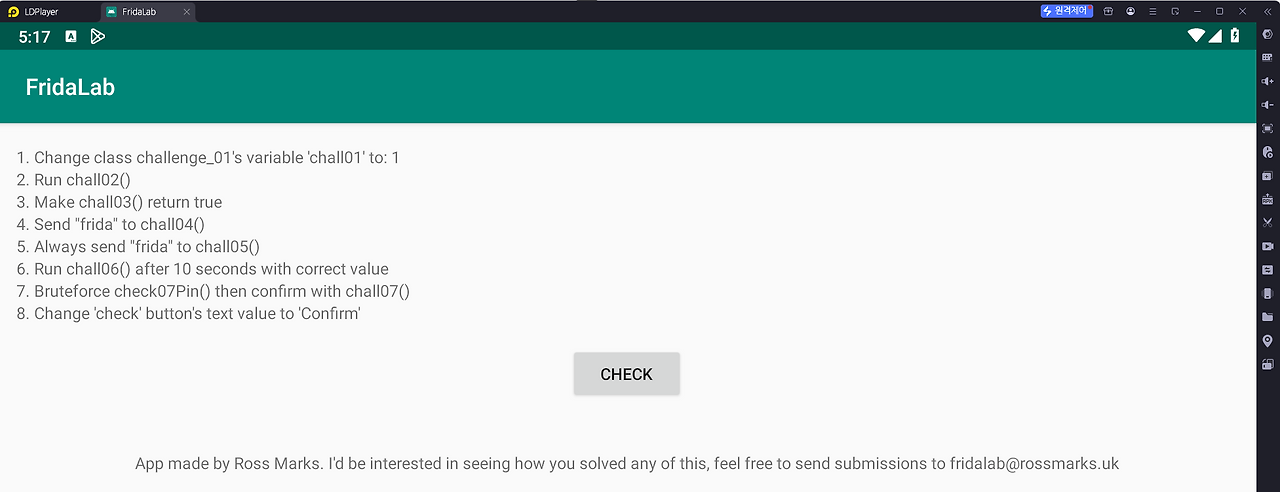
chall04함수 인자값으로 "frida"를 넣어 실행시켜 주면 됩니다.
    public void chall04(String str) {
        if (str.equals("frida")) {
            this.completeArr[3] = 1;
        }
    }
// [instance]
Java.choose("uk.rossmarks.fridalab.MainActivity", {
"onMatch":function(instance) {
console.log(instance.toString()+"를 찾았습니다.");
// [Challenge 02]
instance.chall02();
// [Challenge 04]
instance.chall04("frida");
},
"onComplete" : function() {
console.log("[-] Main 메모리 탐색 완료")
}
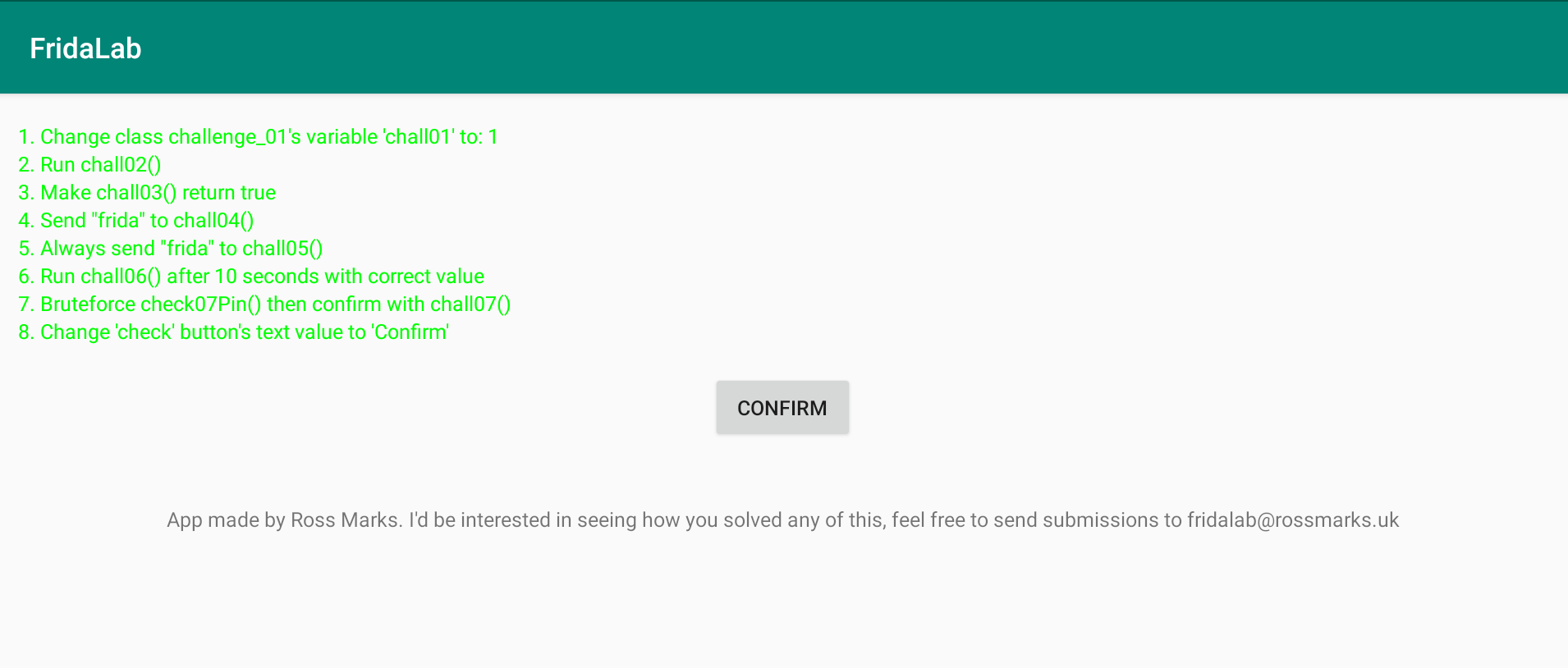
})FridaLab 2번 문제에서 인자가 없는 동적 메소드를 호출하는 방법을 다루었다면, 4번 문제는 메모리 상에 활성화된 인스턴스 메소드를 호출할 때 특정 데이터(인수)를 파라미터로 명시하여 넘겨주는 기법을 다룹니다.
Challenge05
항상 "frida"을 인자로 함수를 실행시켜주면 됩니다.
public void onClick(View view) {
                if (challenge_01.getChall01Int() == 1) {
                    MainActivity.this.completeArr[0] = 1;
                }
                if (MainActivity.this.chall03()) {
                    MainActivity.this.completeArr[2] = 1;
                }
                MainActivity.this.chall05("notfrida!");
                if (MainActivity.this.chall08()) {
                    MainActivity.this.completeArr[7] = 1;
                }
                MainActivity.this.changeColors();
            }

public void chall05(String str) {
        if (str.equals("frida")) {
            this.completeArr[4] = 1;
        } else {
            this.completeArr[4] = 0;
        }
    }
유저가 아무리 버튼을 연타해도 앱 시스템 구조상 무조건 "notfrida!"라는 오답을 들고 chall05 함수로 진입하기 때문에, 정상적인 방법으로는 절대로 성공 플래그(completeArr[4] = 1)에 도달할 수 없습니다.
해결 전략 (정답): 따라서 우리는 원래 함수가 실행되기 직전 길목에 덫을 놓고 기다리다가, "notfrida!"가 들어오는 순간 이를 압수하고 "frida"로 알맹이를 바꿔치기하여 원본 함수에 던져주는 오버라이딩 스크립트를 작성해야 합니다.
// [Challenge 05]
        Main.chall05.implementation = function(){
            console.log("[-] chall05 함수가 호출되었습니다.")
            this.chall05("frida");
        };
Challenge06
10초뒤에 알맞은값을 가지고 chall06함수를 실행시켜야합니다.
//OnCreate
    challenge_06.startTime();
    challenge_06.addChall06(new Random().nextInt(50) + 1);
    new Timer().scheduleAtFixedRate(new TimerTask() { // from class: uk.rossmarks.fridalab.MainActivity.2
        @Override // java.util.TimerTask, java.lang.Runnable
        public void run() {
            int iNextInt = new Random().nextInt(50) + 1;
            challenge_06.addChall06(iNextInt);
            Integer.toString(iNextInt);
        }
    }, 0L, 1000L);

 public void chall06(int i) {
        if (challenge_06.confirmChall06(i)) {
            this.completeArr[5] = 1;
        }
    }
//challenge_06 class
public class challenge_06 {
static int chall06;
static long timeStart;
public static void startTime() {
timeStart = System.currentTimeMillis();
}
public static boolean confirmChall06(int i) {
return i == chall06 && System.currentTimeMillis() > timeStart + 10000;
}
public static void addChall06(int i) {
chall06 += i;
if (chall06 > 9000) {
chall06 = i;
}
}
}FridaLab 6번 문제는 시간의 흐름(타이밍) 제약 조건과 실시간으로 변화하는 난수(Random) 조건이 결합된 복합 취약점을 다룹니다.
- 조건 1 :i == chall06
- 조건 2 :System.currentTimeMIllis() > timeStart + 10000
두 조건이 참이 되어야 성공 플래그을 얻게 됩니다.
조건 파악
- i는 랜덤값으로 매번 chall06에 더해지고 chall06함수가 9000이 넘을 경우에 초기화 되는 형식을 이루고있습니다. 지속적으로 변하는 chall06값이 매개변수 i와 같아야합니다.
- System.currentTimeMillis()는 실행시간으로 timeStart (시작시간)보다 10초가 지나야 참이 되는 조건을 갖고있습니다.
해결 방식
- 조건 1 : 지속적으로 변하는 chall06 변수의 값을 가져와 실행시킵니다. (addChall06함수를 재정의하여 chall06값을 고정시키는것도 좋은방법이라고 생각합니다.)
- 조건 2 : setTimeout()함수를 사용하여 10초뒤에 실행시키는 방법도 있겠지만, timeStart의 값을 10000이상으로 마이너스 해주어 조건을 충족시켜줍니다.
// [Challenge 06]
    let challenge_06 = Java.use("uk.rossmarks.fridalab.challenge_06");
    challenge_06.timeStart.value -= 20000;

    Java.choose("uk.rossmarks.fridalab.MainActivity", {
        "onMatch":function(instance) {
            console.log(instance.toString()+"를 찾았습니다.");
            // [Challenge 02]
            instance.chall02();
            // [Challenge 04]
            instance.chall04("frida");
            // [Challenge 06]
            let currentChall06 = challenge_06.chall06.value;
            instance.chall06(currentChall06);
         },
            "onComplete" : function() {
                console.log("[-] Main 메모리 탐색 완료")
            }
        })
Challenge07
브루트포스 공격을 해주면 됩니다.
//MainActivity - Oncreate
challenge_07.setChall07();

public void chall07(String str) {
        if (challenge_07.check07Pin(str)) {
            this.completeArr[6] = 1;
        } else {
            this.completeArr[6] = 0;
        }
    }


//challenge_07 Class
public class challenge_07 {
    static String chall07;

    public static void setChall07() {
        chall07 = BuildConfig.FLAVOR + (((int) (Math.random() * 9000.0d)) + 1000);
    }

    public static boolean check07Pin(String str) {
        return str.equals(chall07);
    }
}
chall07변수의 값이 시작할때 1000~9999의 값중 랜덤으로 정해집니다.
chall07값을 직접 가져와도 되지만 문제의 취지에 맞게 브루트포스 방식을 사용합니다.
// [Challenge 07]
    let challenge_07 = Java.use("uk.rossmarks.fridalab.challenge_07")
    let res = 0;
    for(let i=1000; i<=9999; i++){
        console.log("[-] Bruteforce 실행중 .."+i);
        let pin = i.toString();
        if(challenge_07.check07Pin(pin)){
            console.log("chall07의 값은" + i + "입니다.");
            res = pin;
            break;
        }
    }


//Java.choose
    instance.chall07(res);
Challenge08
Check 버튼을 Confirm으로 바꾸어주면 됩니다.
public boolean chall08() {
        return ((String) ((Button) findViewById(R.id.check)).getText()).equals("Confirm");
    }

//R
public static final int check = 0x7f07002f;
// [Challenge 08]
const checkid = 0x7f07002f;
// [instance]
Java.choose("uk.rossmarks.fridalab.MainActivity", {
"onMatch":function(instance) {
console.log(instance.toString()+"를 찾았습니다.");
// [Challenge 02]
instance.chall02();
// [Challenge 04]
instance.chall04("frida");
// [Challenge 06]
let currentChall06 = challenge_06.chall06.value;
instance.chall06(currentChall06);
// [Challenge 07]
instance.chall07(res);
// [Challenge 08]
const checkbtn = instance.findViewById(checkid);
let ButtonClass = Java.use("android.widget.Button");
let CastBtn = Java.cast(checkbtn,ButtonClass);
CastBtn.setText(Java.use("java.lang.String").$new("Confirm"));
},
"onComplete" : function() {
console.log("[-] Main 메모리 탐색 완료")
}
})// 1. 화면(액티비티)에서 고유 ID(checkid)를 가진 버튼 객체의 실체를 찾아옵니다.
const checkbtn = instance.findViewById(checkid);
// 2. 안드로이드 순정 버튼 클래스(Button)의 설계도를 프리다로 불러옵니다.
let ButtonClass = Java.use("android.widget.Button");
// 3. 찾아온 객체를 "이건 일반 뷰가 아니라 '버튼'이야"라고 프리다에게 명확히 알려줍니다. (형변환)
let CastBtn = Java.cast(checkbtn, ButtonClass);
// 4. 자바 가상머신 내부에 "Confirm" 문자열 객체를 새로 생성해서 버튼 글자를 바꿔버립니다.
CastBtn.setText(Java.use("java.lang.String").$new("Confirm"));전체코드
#base.py
import frida, sys
import argparse
import os
import importlib.util
def on_message(message, data):
if message['type'] == 'send':
print(message['payload'])
elif message['type'] == 'error':
print(message['stack'])
def load_bridge(lang):
try:
# frida_tools 패키지의 실제 설치 경로를 계산합니다.
frida_tools_path = os.path.dirname(importlib.util.find_spec('frida_tools').origin)
# bridges 폴더 안의 java.js 파일 경로를 생성합니다.
bridge_file = os.path.join(frida_tools_path, 'bridges', f'{lang.lower()}.js')
with open(bridge_file, 'r', encoding='utf-8') as f:
bridge_src = f.read()
# 자바스크립트 전역 공간(globalThis)에 Java 객체를 강제로 등록하는 래핑 코드입니다.
return '(function() { ' + bridge_src + '; Object.defineProperty(globalThis, "' + lang + '", { value: bridge }); })();\n'
except Exception as e:
print(f"[-] 브릿지 파일 로드 실패: {e}")
return ""
def get_script(script_name):
with open("./"+script_name, 'r') as f:
script = f.read()
return script
help_script ="""
Frida Injection Script Tool
Usage: python script.py --script <your_js_file.js>
"""
parser = argparse.ArgumentParser(description=help_script)
parser.add_argument('--script', required=True, help='JS File to Inject')
args = parser.parse_args()
try:
device=frida.get_usb_device()
package_name = "uk.rossmarks.fridalab"
p1=device.spawn([package_name])
process_session=device.attach(p1)
# 브릿지 코드 결합 //Reference Java 에러
js_code = load_bridge('Java') + get_script(args.script)
script = process_session.create_script(js_code)
script.on('message',on_message)
script.load()
print(f"[+] JS 스크립트('{args.script}')가 성공적으로 주입되었습니다.")
device.resume(p1)
print("[+] 앱이 활성화되었습니다. 로그를 대기합니다...")
sys.stdin.read()
except frida.ServerNotRunningError:
print("[-] 에러: 스마트폰에서 frida-server가 켜져 있는지 확인하세요.")
except Exception as e:
print(f"[-] 에러 발생: {e}")//#fridalab.js
setTimeout(function(){
Java.perform(function(){
console.log("[-] chall01 시작");
// [Challenge 01]
const challenge_01 = Java.use("uk.rossmarks.fridalab.challenge_01");
challenge_01.chall01.value = 1;
console.log("[-] chall01 변수가 변경 되었습니다");
// Main 호출
const Main = Java.use("uk.rossmarks.fridalab.MainActivity");
// [Challenge 03]
Main.chall03.implementation = function(){
console.log("[-] chall03가 True로 전환되었습니다.")
return true;
};
// [Challenge 05]
Main.chall05.implementation = function(){
console.log("[-] chall05 함수가 호출되었습니다.")
this.chall05("frida");
};
// [Challenge 06]
let challenge_06 = Java.use("uk.rossmarks.fridalab.challenge_06");
challenge_06.timeStart.value -= 20000;
// challenge_06.addChall06.implementation = function(){
// // Challenge_06.chall06.value = 100;
// }
// [Challenge 07]
let challenge_07 = Java.use("uk.rossmarks.fridalab.challenge_07")
let res = 0;
for(let i=1000; i<=9999; i++){
console.log("[-] Bruteforce 실행중 .."+i);
let pin = i.toString();
if(challenge_07.check07Pin(pin)){
console.log("chall07의 값은" + i + "입니다.");
res = pin;
break;
}
}
// [Challenge 08]
    const checkid = 0x7f07002f;

    // [instance]
    Java.choose("uk.rossmarks.fridalab.MainActivity", {
        "onMatch":function(instance) {
            console.log(instance.toString()+"를 찾았습니다.");
            // [Challenge 02]
            instance.chall02();
            // [Challenge 04]
            instance.chall04("frida");
            // [Challenge 06]
            let currentChall06 = challenge_06.chall06.value;
            instance.chall06(currentChall06);
            // [Challenge 07]
            instance.chall07(res);
            // [Challenge 08]
            const checkbtn = instance.findViewById(checkid);
            let ButtonClass = Java.use("android.widget.Button");
            let CastBtn = Java.cast(checkbtn,ButtonClass);
            CastBtn.setText(Java.use("java.lang.String").$new("Confirm"));
        },
            "onComplete" : function() {
                console.log("[-] Main 메모리 탐색 완료")
            }
        })
});
},1000);